
DJI
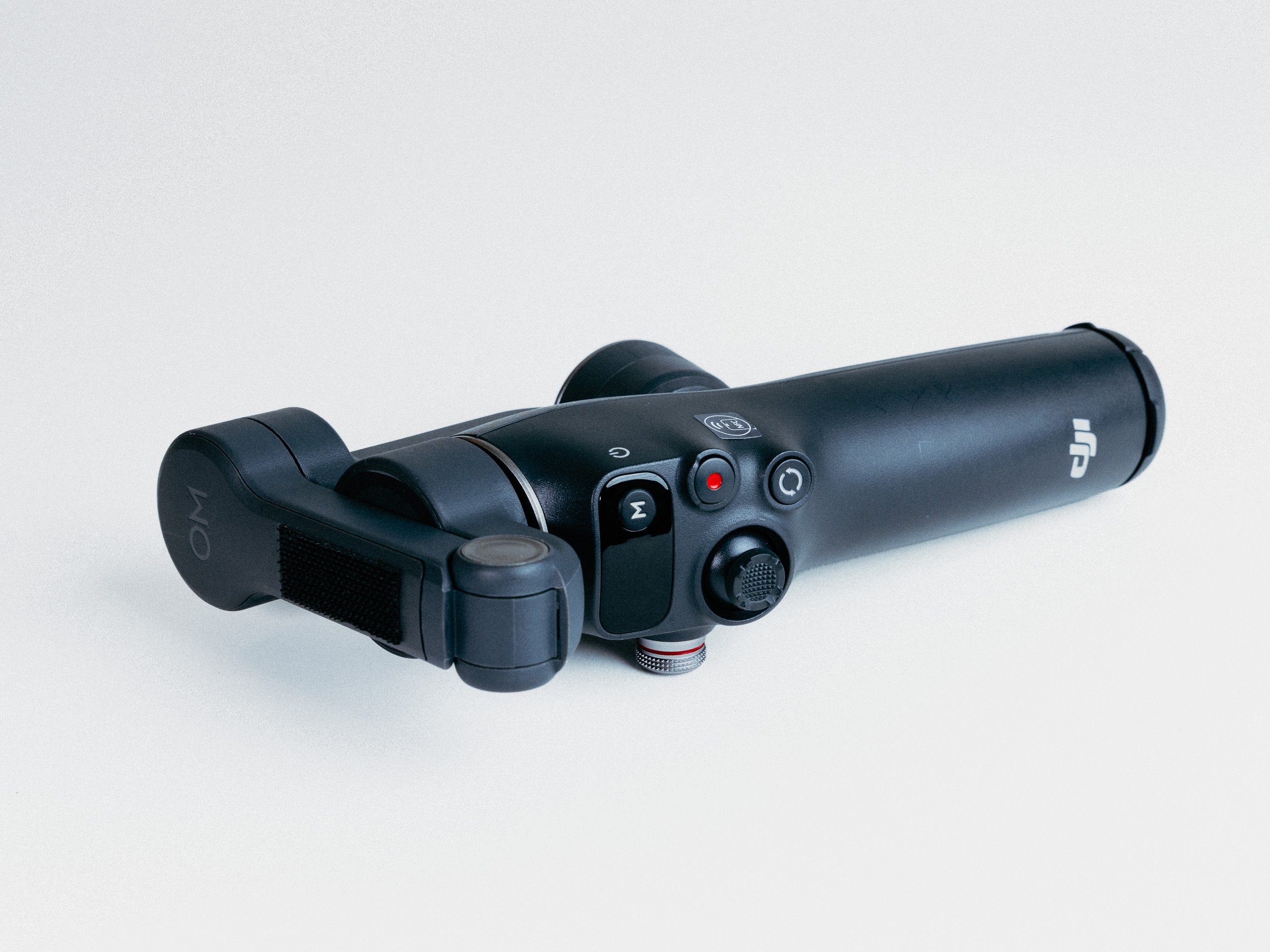
Osmo Mobile 8
Osmo Mobile 8
-
3-axis smartphone gimbal stabilizer with 360° unlimited pan rotation.
Unfolded dimensions: 288 × 107 × 96mm; folded dimensions: 190 × 95 × 46mm.
Compatible phone weight: 170–300g; thickness: 6.9–10mm; width: 67–84mm.
Built-in extension rod with up to 215mm of reach.
Built-in tripod and bottom 1/4″-20 UNC mounting port.
Multifunctional Module with Bluetooth 5.3, human/pet tracking, audio reception, and fill light.
-
The DJI Osmo Mobile 8 is a strong mobile filmmaking tool when the iPhone needs smoother motion than handheld stabilization can provide. I had wanted one since the iPhone X era, but the usefulness never quite justified the purchase, even if these phone gimbals are not that expensive.
This gimbal is more for my lazy days: when I do not want to carry a mirrorless camera gimbal, but still want the option to capture smoother, more intentional stabilized shots.
The motors are just strong enough for my iPhone 17 Pro with a Moment case, QuickLock VND filter, and Lexar Go SSD attached, which makes it useful if I want to shoot Open Gate ProRes RAW or 4K 120p. But once you start adding or removing accessories, the gimbal needs to be rebalanced and recalibrated, and that still adds friction.
At the end of the day, it is convenient, but it is still a consumer-friendly tool. It does not offer all the deeper customization you get on larger gimbals, such as detailed control over tilt, pan, and roll smoothness. It is best when used simply, and not every shot needs movement.
The Good:
Easy to use.
Smooths out walking and handheld movement.
Tracking is useful for solo shooting.
Portable compared with full camera gimbals.
Can handle a fairly built-out iPhone setup with filter and SSD.
Makes phone footage feel more intentional when movement actually adds something.
The Bad:
Adding or removing accessories means rebalancing and recalibrating the gimbal.
You need the app for calibration.
Gimbals can feel intrusive in casual settings.
It cannot accommodate external mobile lenses with filters.
It lacks the deeper motion customization of larger camera gimbals.
-
Get it if you shoot a lot of mobile video.
Get it if you film yourself or need tracking.
Get it if you want to stabilize Open Gate ProRes RAW footage.
Get it if you want smoother shots without carrying a full mirrorless gimbal.
Pass if you use a larger and heavier iPhone rig.
Pass if you want to use external mobile lenses with filters.
Pass if you need the deeper tuning options of a larger camera gimbal.